Create Navigation
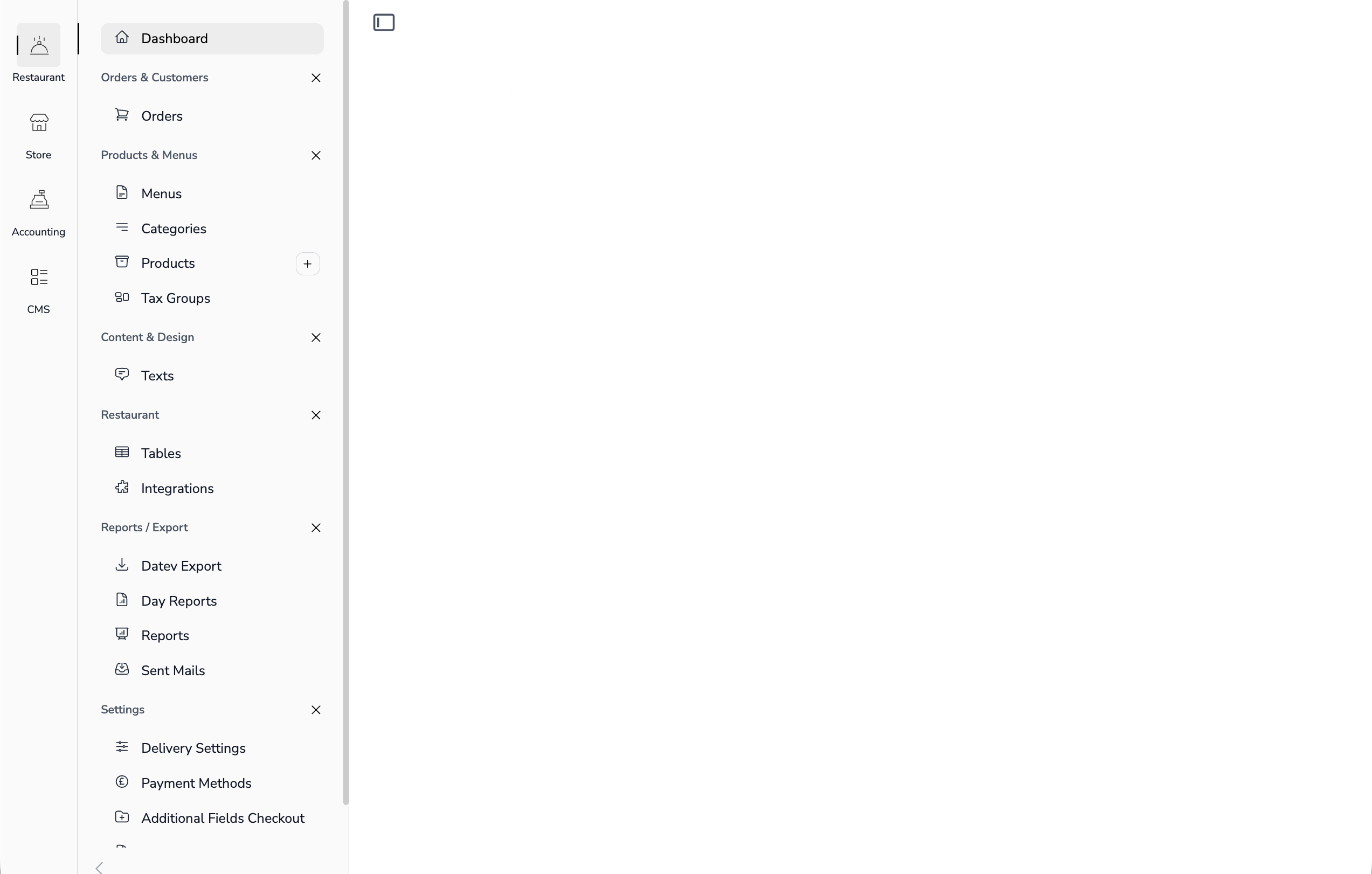
Navigation is defined in YAML files. Each app has its own navigation configuration.
File Location
app-configs/{app}/navigation.ymlFor example: app-configs/accounting/navigation.yml
Navigation Structure
yaml
- title: Accounting
  name: accounting
  hidden: true
  route: accounting-tool
  block_menus:
    - title: Customers
      navigations:
        - title: Customers
          route: 'customers'
          heroicon: 'users'
          newComponent: 'customer-detail'
        - title: Invoices
          route: 'invoices'
          heroicon: 'document-currency-euro'
    - title: Products
      navigations:
        - title: Products
          route: 'products'
          newComponent: 'product-detail'
          heroicon: 'archive-box'
Navigation Properties
| Property | Description |
|---|---|
title | Display name (use translation key) |
name | Unique identifier for the app |
route | Laravel route name |
heroicon | Icon from Heroicons (e.g., users, cog-6-tooth) |
newComponent | Livewire component to open when clicking "New" |
hidden | Hide the top-level menu item |
block_menus | Groups of navigation items |
Example
app-configs/accounting/navigation.yml
yaml
- title: Accounting
  name: accounting
  hidden: true
  route: accounting-tool
  block_menus:
    - title: Customers
      navigations:
        - title: Customers
          route: 'customers'
          heroicon: 'users'
          newComponent: 'customer-detail'
        - title: Invoices
          route: 'invoices'
          heroicon: 'document-currency-euro'
        - title: Quotes
          route: 'accounting.quotes'
          heroicon: 'document-currency-euro'
    - title: Finances
      navigations:
        - title: Bank Accounts
          route: 'accounting.bank-accounts'
          heroicon: 'building-library'
          newComponent: 'bank-account-detail'
        - title: Bank Transactions
          route: 'accounting.bank-transactions'
          heroicon: 'banknotes'
    - title: Products
      navigations:
        - title: Products
          route: 'products'
          newComponent: 'product-detail'
          heroicon: 'archive-box'
        - title: Product Groups
          route: 'product-groups'
          heroicon: 'rectangle-group'
    - title: Settings
      navigations:
        - title: Settings
          route: 'accounting-settings'
          heroicon: 'cog-6-tooth'
Next Steps
Continue with Create a List View to display data in tables.